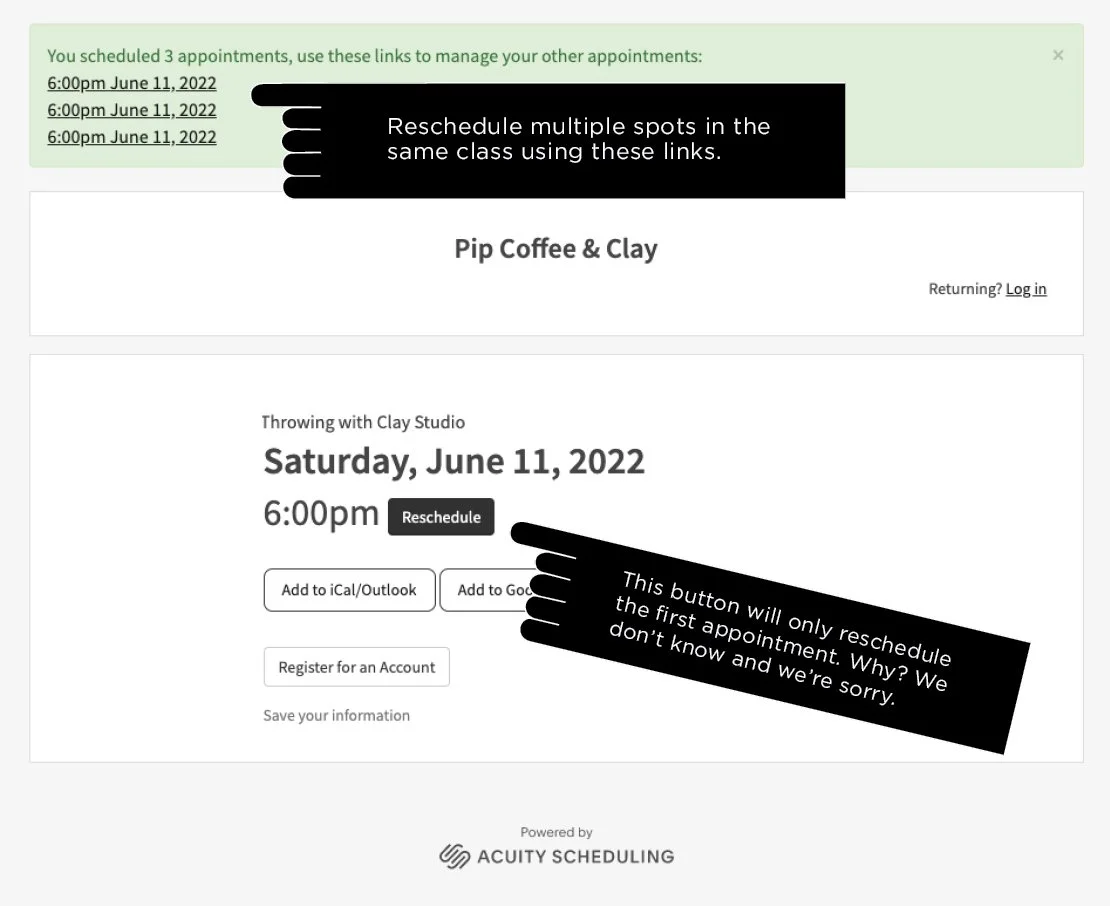
How to Book Multiple Spots
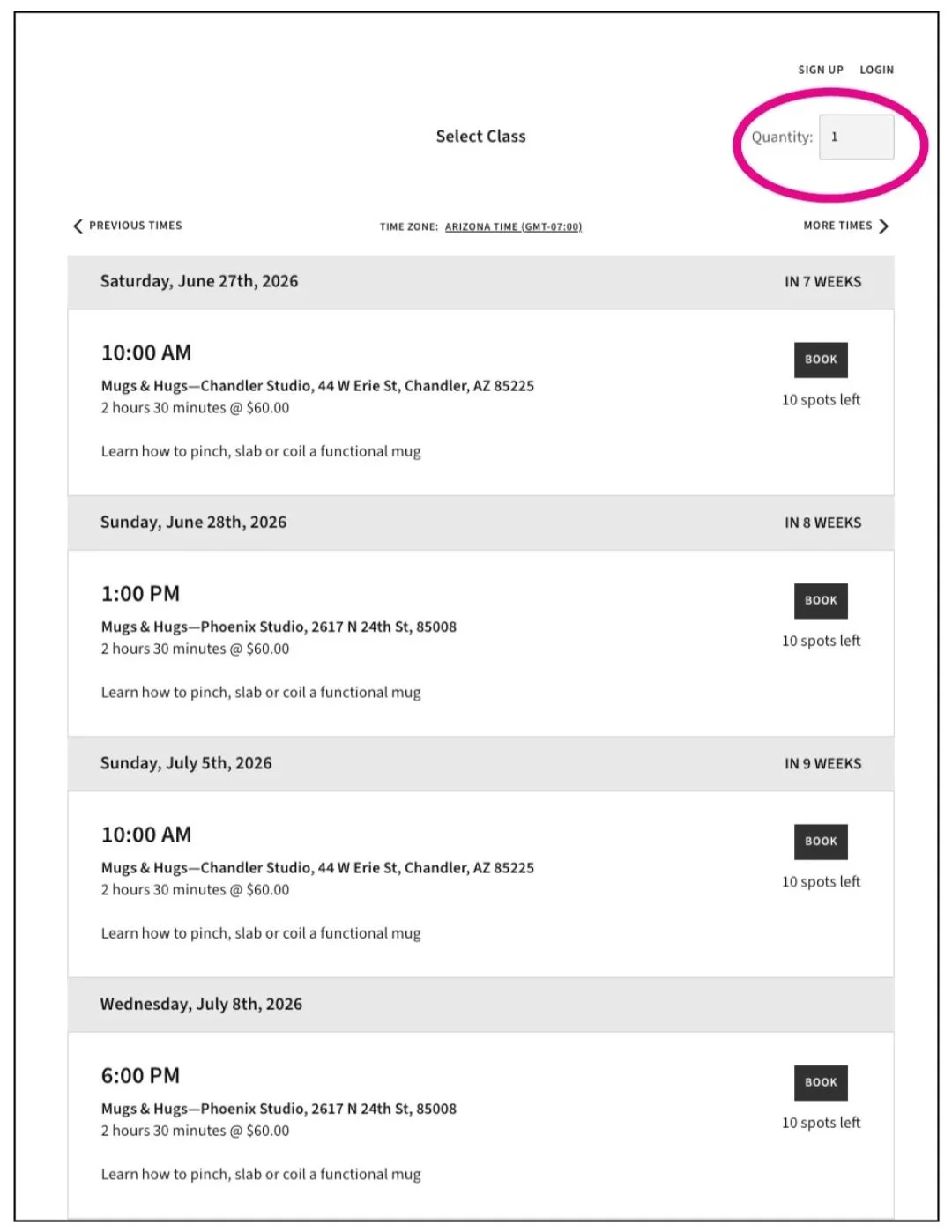
You’ll find the multiple spots field at the top right of the booking area on a desktop:
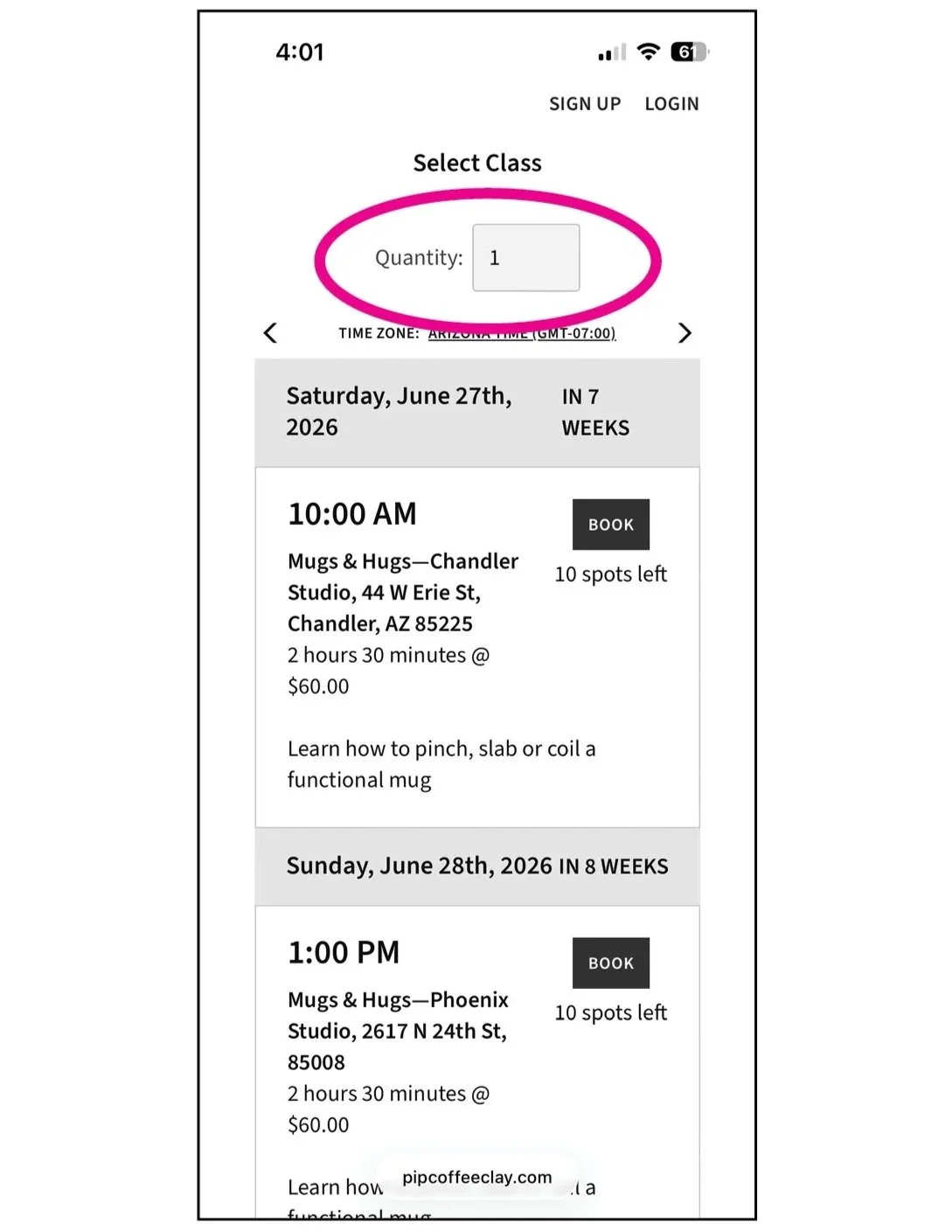
And centered just above the booking area on a phone:
How to Reschedule Multiple Spots
You’ll find the “reschedule” button at the bottom of your first confirmation email and your first and second reminder emails. If you’re only rescheduling 1 spot, that’s all you need to know!
If you’re rescheduling multiple spots, you, unfortunately, need to repeat the process for each. Here’s how: